The Evolution of Web Color:
From the 216-Color Palette to Human Perception
How we define color on the web has shifted from serving the technical limits of early computers to serving the way the human eye actually perceives light.
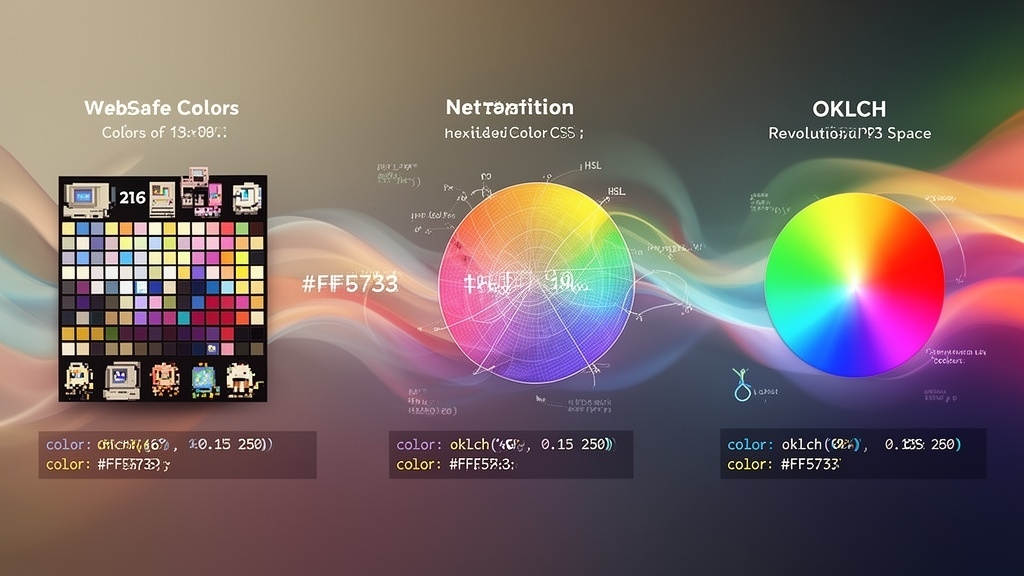
Do You Remember "Web Safe Colors"?
Today, web designers routinely use the color pickers in Figma or Photoshop, grab a hex code, and drop it into CSS without a second thought. But in the early days of the web, color was a highly restricted resource. We only had 216 colors we could trust.
In the mid-1990s, many computer monitors could only display 256 colors at a time. To make matters worse, Windows and Mac OS reserved different system colors. The overlap—the colors that would render consistently across both operating systems without ugly dithering—amounted to exactly 216. These were the infamous "Web Safe Colors."
A fixed 216-color palette became the strict standard to ensure consistency across different operating systems and browsers.
Display technology improved, bringing 16.7 million colors to the masses. Hex codes like #FF5733 became the primary language of web design.
Browsers adopted advanced color spaces, prioritizing human perception and supporting wide-gamut displays.
If your brand color wasn't on that limited grid, you had to settle for the closest approximation or slice your text and logos as heavy GIF images.
The Hex Code Curse
Eventually, hardware evolved, and we were granted access to millions of colors. Hexadecimal codes became the standard. But this created a new problem: Hex codes were designed for computers, not human brains.
RGB and Hex define color by the intensity of red, green, and blue light. If you look at a hex code and want to make it "just a little bit darker," the math required to adjust those alphanumeric characters is completely unintuitive for a human.
HSL (Hue, Saturation, Lightness) made it easier to manipulate colors mentally. However, it had a fatal flaw: setting lightness to 50% for yellow and 50% for blue results in two colors that look drastically different in brightness to the human eye.
From Machine Color to Human Perception
Why does HSL fail at uniform brightness? Because the human eye is more sensitive to certain wavelengths of light. We inherently perceive yellow as much brighter than blue, even if a screen is emitting them at the same mathematical intensity.
Color doesn't exist inside the pixels of a display. It exists inside the human brain.
This is where modern web design is experiencing a quiet revolution. Enter OKLCH. The oklch() function uses a perceptually uniform color space. This means if you set the Lightness (L) to 60%, it will look exactly as bright whether the hue is yellow, blue, or red. It also unlocks the vibrant, wide-gamut colors (like Display P3) that modern monitors are capable of showing.
.button-primary {
  /* L(Lightness) C(Chroma) H(Hue) */
  background-color: oklch(60% 0.15 250);
}

.button-primary:hover {
  /* Safely decrease lightness by 10% without shifting the perceived hue */
  background-color: oklch(50% 0.15 250);
}
Designing Your Next Palette
From a restrictive grid of 216 colors, to writing cryptic hexadecimal strings, we have finally arrived at a point where our code reflects human perception.
For building robust design systems and managing complex dark/light mode themes, OKLCH is a superpower. The next time you sit down to write CSS, consider stepping away from the familiar hex codes. Embracing this new color space isn't just a technical upgrade—it's a step toward making web design fundamentally more human-centric.
Takeaways
- Early web design was limited to a rigid palette of 216 "Web Safe Colors" due to hardware constraints.
- Hex codes and RGB unlocked millions of colors but are mathematically unintuitive for humans to adjust.
- HSL tried to fix this, but failed to account for how the human eye perceives brightness differently across hues.
- The OKLCH color space is perceptually uniform, allowing precise, predictable control over lightness and saturation.
- We are moving from color models dictated by screen hardware to models based on human perception.