CSS @layer in Practice —
Escaping the Specificity War for Good
You add a UI library, and suddenly your carefully written styles are losing battles they shouldn't. You add !important. Then another. Then one more. @layer is the way out — it lets you declare who wins before the fight even starts.
How the !important Spiral Starts
Here's a scenario that every front-end developer has lived through. You drop in a third-party UI library. Its button styles override yours because its selectors are more specific — .ui-lib .btn.primary beats .btn every time. So you add !important to win. Then the library's hover style still wins somehow. So you add another. And then you're in a war.
The root cause is that CSS's cascade resolves conflicts using two implicit axes: specificity and source order. Both are invisible rules baked into the language. Throw a third-party library into the mix, and those rules become a moving target you can't control.
CSS Cascade Layers — the @layer rule — landed in Chrome and Firefox in 2022 as a direct answer to this problem. The idea is simple but powerful: let developers declare style priority explicitly, independent of specificity.
The Basics — Declare Priority, Then Write Styles
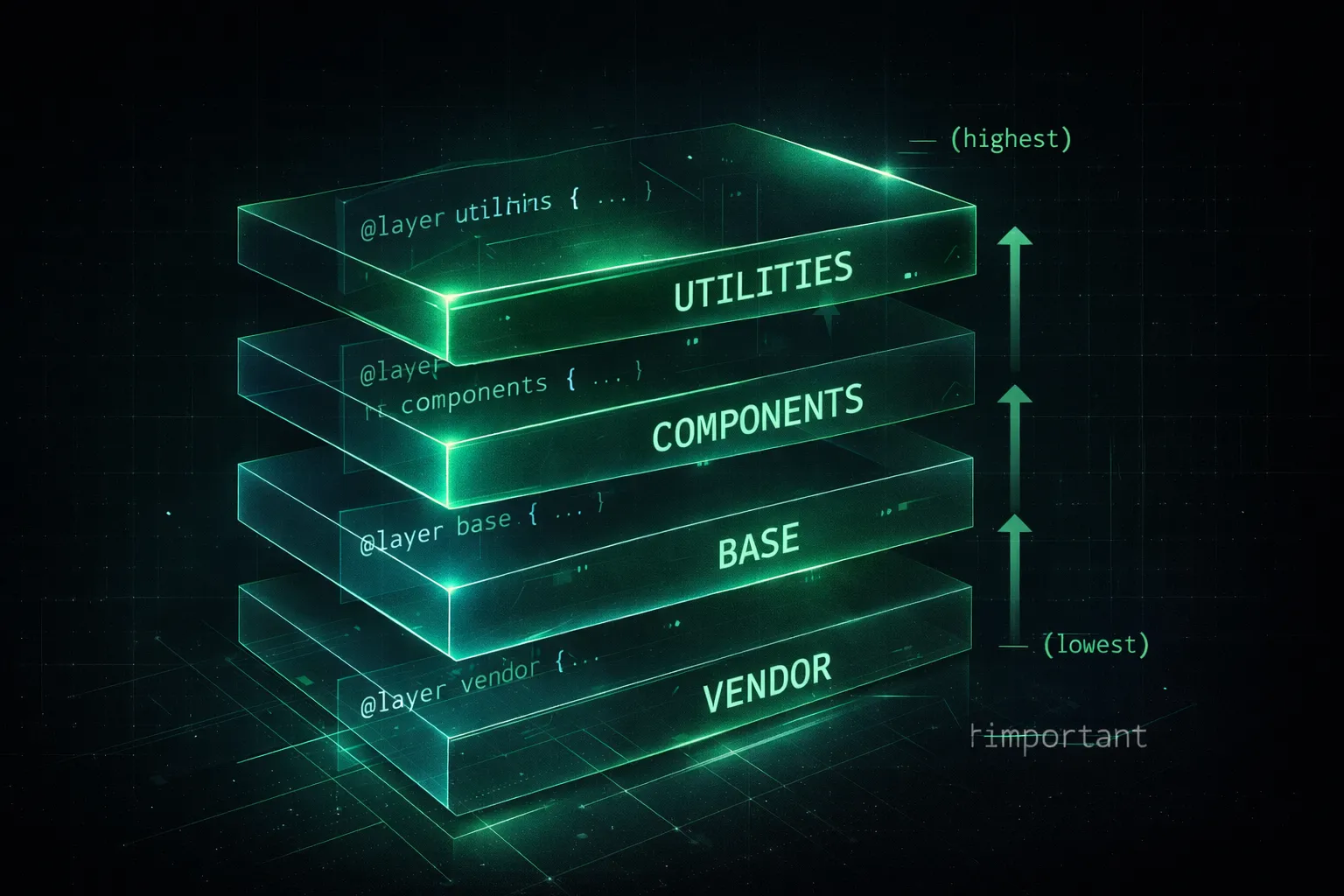
The core rule: later layers win. You define named layers, assign styles to them, and the layer order determines who overrides whom — regardless of selector specificity.
/* Step 1: Declare the priority order upfront */
@layer base, components, utilities;

/* Step 2: Assign styles to each layer */
@layer base {
  a { color: blue; }
}

@layer components {
  .btn { color: white; background: #059669; }
}

@layer utilities {
  .text-red { color: red; } /* Wins — last layer declared */
}
That first line — @layer base, components, utilities; — is doing a lot of work. It sets the priority order for the entire stylesheet. Everything that follows can be written in any order; the declared sequence is what matters.
Click the left box to add .active. The demoEN-utilities layer is last in the declared order, so its red color beats demoEN-base and demoEN-components — even though all three target the same element.
Three Real-World Patterns
① Trap third-party libraries in the lowest layer
This is the use case that converts people. Drop the library into a low-priority layer, and your own styles always win — no specificity battles, no !important.
/* Priority order: right wins over left */
@layer vendor, base, components, overrides;

/* Trap the library in the lowest layer */
@layer vendor {
  @import url('some-ui-library.css');
}

/* Your styles always win over vendor, no matter how specific the library is */
@layer components {
  .btn {
    background: #059669;
    border-radius: 8px;
  }
}② Unlayered styles beat everything
Styles that don't belong to any @layer sit above all layers in the cascade. This is a useful escape hatch — for urgent one-off overrides, just write outside any layer.
@layer base, components;

@layer components {
  .alert { color: white; }
}

/* No @layer = beats all layers */
.alert.urgent { color: red; }
③ NG vs. OK — the before-and-after
/* Library selector (high specificity) */
.ui-lib .btn.primary { background: blue; }

/* Your style (low specificity, loses) */
.btn { background: green; } /* Ignored */

/* Desperate !important */
.btn { background: green !important; }@layer vendor, components;
@layer vendor {
.ui-lib .btn.primary { background: blue; }
}
@layer components {
/* Low specificity, but higher layer = wins cleanly */
.btn { background: green; }
}Going Further — A Four-Layer Design System
For larger projects, @layer maps naturally onto the layered CSS architectures that teams like ITCSS and FLOCSS have been describing for years. Tokens → Base → Components → Utilities — each has a clear job and a clear priority.
/* Declare the full order once */
@layer tokens, base, components, utilities;

@layer tokens {
  :root {
    --color-primary: #059669;
    --radius-md: 8px;
  }
}

@layer base {
  *, *::before, *::after { box-sizing: border-box; }
  body { font-family: system-ui, sans-serif; }
}

@layer components {
  .btn {
    background: var(--color-primary);
    border-radius: var(--radius-md);
    padding: 8px 20px;
    color: white;
  }
}

@layer utilities {
  .mt-0 { margin-top: 0; }
  .hidden { display: none; }
}
Browser support is solid across the board — Chrome, Firefox, Safari, and Edge all support @layer in their current stable versions. For any modern project, it's ready to use today.
Takeaways
- @layer organizes styles into named priority tiers — later layers win, regardless of selector specificity.
- Declaring @layer base, components, utilities; at the top of your CSS sets the priority order for the entire file.
- Trapping third-party libraries in a low-priority layer means your styles always win — no !important needed.
- Styles written outside any @layer beat all layers — useful as an intentional escape hatch.
- Tokens → Base → Components → Utilities is a solid four-layer structure for design system CSS.
- Fully supported in all modern browsers. Safe to use in production today.